A Shopify store audit checklist is essential for any eCommerce business that wants to grow. Most Shopify stores never reach their full revenue potential; not because the products are wrong, but because foundational issues go undiagnosed for months. Store owners invest in paid ads, hire agencies, and launch campaigns without understanding why their current setup is leaking revenue.
What This Guide Covers
Therefore, before you scale traffic, launch a new campaign, or invest in a redesign, you need a clear picture of what’s actually happening. This Shopify store audit checklist will help you evaluate your store like a professional Shopify agency would, covering every area that impacts growth.
What Is a Shopify Store Audit?
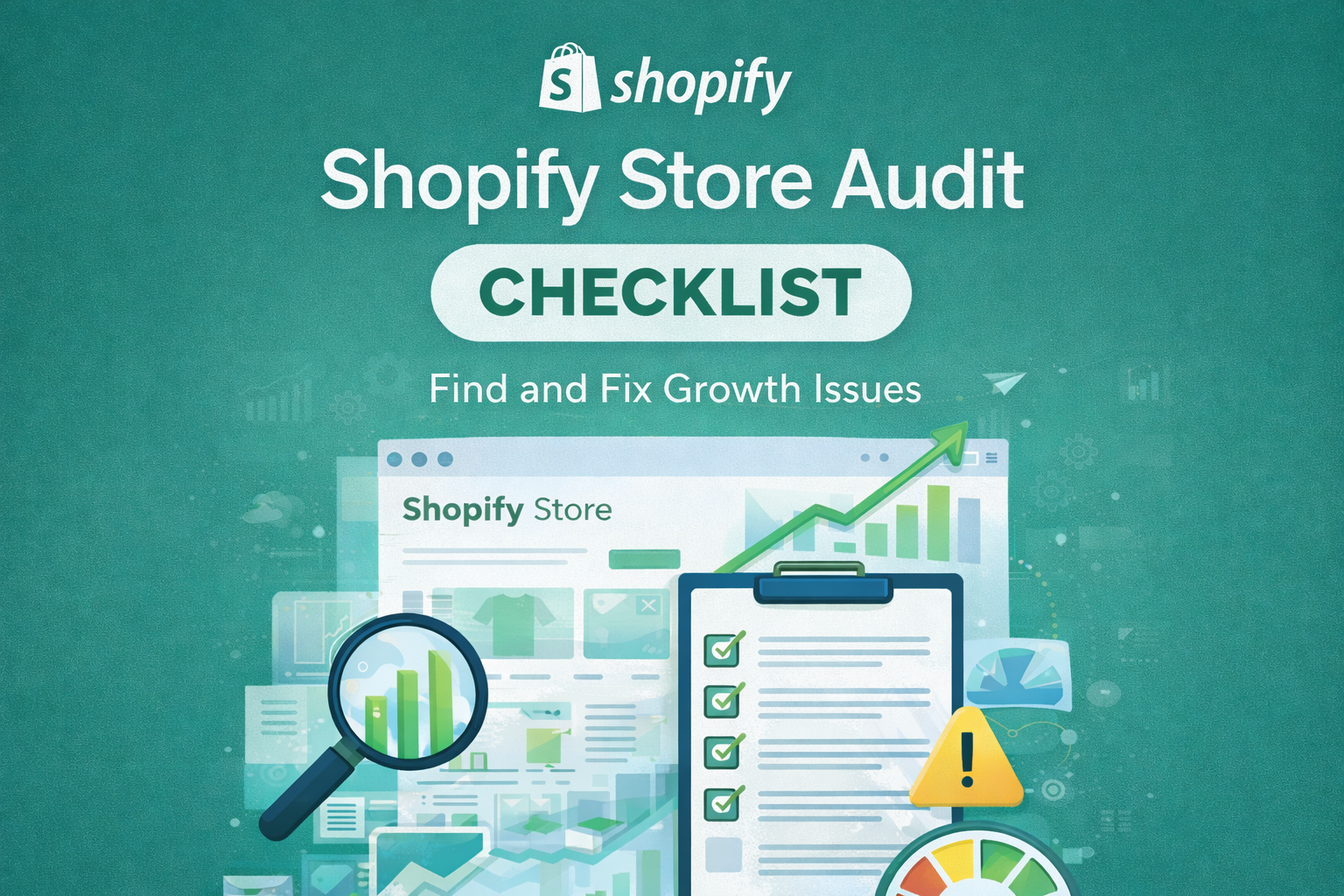
A Shopify store audit is a systematic review of your entire eCommerce operation. It examines how well your store is set up to attract visitors, convert them into customers, and retain them for repeat purchases.
A thorough audit covers five core areas: technical performance including site speed and mobile functionality, SEO including site structure and content optimisation, conversion rate optimisation including product pages and checkout flow, marketing effectiveness including traffic quality and email automation, and user experience including navigation and trust signals.
Audits are valuable at multiple stages. When launching a store, an audit ensures your foundation is solid before spending on traffic. For stores that have been running for a while but growth has stalled, an audit identifies the bottlenecks. Similarly, when preparing to scale with paid advertising, an audit confirms your store can handle increased traffic without wasting ad spend on a broken funnel.
The goal is simple: identify what’s working, what’s broken, and what’s missing entirely.
Why a Shopify Store Audit Is Critical for Growth
Many store owners assume their main problem is traffic. They invest heavily in ads, influencer partnerships, or SEO without realising their store isn’t converting the visitors they already have. This is like pouring water into a bucket with holes in it.
A Shopify store audit reveals whether you have a traffic problem, a conversion problem, or both. These require completely different solutions, and misdiagnosing the issue wastes significant time and money.
Hidden revenue leaks are common in Shopify stores. Slow page speeds cause visitors to abandon before they even see your products. Poor mobile experience drives away the majority of shoppers who browse on phones. Confusing navigation makes it difficult for customers to find what they want. Weak product pages fail to convince visitors to add items to cart. Checkout friction causes cart abandonment at the final stage.
If you’re running paid ads on a store with these issues, you’re essentially paying to send traffic to a broken experience. Your cost per acquisition stays high, your return on ad spend stays low, and you burn through budget without understanding why.
SEO traffic that doesn’t convert is equally problematic. Ranking for keywords is meaningless if visitors land on pages that don’t guide them toward a purchase. An audit examines whether your organic traffic is aligned with buyer intent and whether your landing pages deliver what searchers expect.
Shopify Store Audit Checklist
Use this checklist to evaluate your store systematically. Each section covers a different aspect of store performance, and issues in any area can significantly impact your growth.
Technical and Performance Audit for Your Shopify Store
Technical issues create friction before customers even engage with your content. Start here because poor performance undermines everything else.
Site Speed
- Test your homepage, collection pages, and product pages using Google PageSpeed Insights
- Check that pages load in under three seconds on mobile
- Identify large images, unoptimised code, or excessive scripts slowing your store
- Review your theme’s built-in performance and whether it’s causing delays
Mobile Usability
- Browse your entire store on a mobile device, not just the homepage
- Check that buttons are large enough to tap easily
- Verify that text is readable without zooming
- Test the add-to-cart and checkout process on mobile
- Confirm that pop-ups don’t block content or irritate mobile users
Theme Performance
- Evaluate whether your current theme supports your business needs
- Check for outdated code or compatibility issues with Shopify updates
- Review whether your theme is causing unnecessary page weight
App Bloat
- List all installed apps and their actual usage
- Identify apps that are no longer needed or duplicating functionality
- Check whether app scripts are loading on pages where they’re not required
- Remove or replace apps that significantly slow your store
Core Web Vitals
- Check your Largest Contentful Paint score, which measures loading performance
- Review your Cumulative Layout Shift score, which measures visual stability
- Assess your Interaction to Next Paint score, which measures responsiveness
- Address any scores marked as needing improvement in Google Search Console
Shopify SEO Audit
SEO determines how well your store attracts organic traffic from search engines. Poor SEO means you’re invisible to potential customers actively searching for products like yours.
Site Structure
- Verify that your navigation is logical and easy to follow
- – Check that important pages are accessible within three clicks from the homepage
- – Review your URL structure for clarity and keyword inclusion
- – Ensure your sitemap is properly submitted to Google Search Console
Collection Pages
- Confirm each collection has a unique, descriptive title and meta description
- Check that collection pages include relevant introductory content
- Verify that product filtering and sorting works correctly
- Review internal links pointing to and from collection pages
Product Page SEO
- Audit product titles for clarity and keyword relevance
- Review meta descriptions for uniqueness and compelling copy
- Check that product descriptions are detailed and original, not copied from suppliers
- Verify image alt text is descriptive and includes relevant keywords
- Ensure each product has a clear URL slug
Internal Linking
- Check that related products link to each other appropriately
- Review whether blog content links to relevant products and collections
- Verify that orphan pages without internal links are addressed
- Ensure navigation menus support logical user journeys
Duplicate Content
- Identify product pages with identical or near-identical descriptions
- Check for duplicate meta titles and descriptions across pages
- Review whether collection filters create duplicate content issues
- Ensure canonical tags are properly implemented
Indexing Issues
- Check Google Search Console for crawl errors and indexing problems
- Verify that important pages are being indexed correctly
- Review whether any pages are accidentally blocked by robots.txt
- Confirm that noindex tags are only applied intentionally
Conversion Rate Optimisation Audit
Getting traffic is only half the equation. Your store must convert visitors into customers, and small improvements here often have outsized impact on revenue.
Product Page Clarity
- Review whether product images are high-quality and show the product from multiple angles
- Check that pricing is clear and prominent
- Verify that product descriptions answer common customer questions
- Ensure variant options like size and colour are easy to select
- Confirm that inventory status and shipping information is visible
Calls to Action
- Check that the add-to-cart button is prominent and easy to find
- Review whether the buy-now option is available for direct checkout
- Verify that CTAs use clear, action-oriented language
- Test that buttons work correctly across all devices
Trust Signals
- Confirm that customer reviews are displayed on product pages
- Check for trust badges, security seals, and payment icons
- Review whether your returns policy and shipping information is easily accessible
- Verify that contact information and customer service options are visible
- Ensure your about page builds credibility and tells your brand story
Checkout Friction
- Walk through your checkout process as a new customer
- Identify unnecessary form fields or steps that could be removed
- Check whether guest checkout is available
- Review shipping options and whether costs are clear before the final step
- Test all payment methods to ensure they work correctly
Mobile Conversion Issues
- Complete a purchase on mobile to identify friction points
- Check that mobile checkout is streamlined and easy to use
- Verify that payment options like Apple Pay and Google Pay are enabled
- Review whether mobile users can easily edit cart contents
Marketing and Traffic Audit
Even the best-optimised store needs quality traffic. This section evaluates whether your marketing efforts are bringing the right visitors and whether you’re equipped to maximise their value.
Traffic Sources Quality
- Review your analytics to understand where visitors come from
- Assess whether traffic sources align with buyer intent
- Identify which channels drive the most conversions, not just visits
- Check for over-reliance on a single traffic source
Paid Ads Readiness
- Verify that tracking pixels for Facebook, Google, and other platforms are installed correctly
- Check that conversion tracking is firing on purchase confirmation
- Review whether your product feed is optimised for shopping ads
- Assess whether your landing pages match ad messaging
Email Marketing Flows
- Confirm that a welcome sequence is set up for new subscribers
- Check that abandoned cart emails are active and properly timed
- Review post-purchase email sequences for retention and repeat sales
- Verify that email signup forms are present and functioning
Retargeting Setup
- Check that retargeting audiences are properly created
- Review whether dynamic product retargeting is enabled
- Assess the quality and relevance of retargeting ad creative
- Verify that exclusion audiences prevent showing ads to recent purchasers
Attribution Gaps
- Review whether UTM parameters are used consistently across campaigns
- Check that your analytics platform is receiving accurate data
- Identify any gaps between ad platform reporting and actual sales
- Assess whether you can accurately determine which campaigns drive revenue
Common Shopify Growth Mistakes Found in Audits
After reviewing hundreds of Shopify stores, certain patterns emerge repeatedly. Understanding these common mistakes helps you recognise whether your store might be suffering from the same issues.
Driving Traffic Too Early
Many store owners rush to scale traffic before their conversion funnel is optimised. They invest thousands in ads, only to discover their store converts at a fraction of industry benchmarks. Fixing conversion issues first means every pound spent on traffic works harder.
Ignoring Mobile User Experience
Over seventy percent of eCommerce traffic now comes from mobile devices, yet many stores are still designed with desktop users in mind. Small text, difficult navigation, and clunky checkout processes drive mobile visitors away. A store that looks good on desktop but frustrates mobile users is leaving significant revenue on the table.
Overusing Apps
Shopify’s app ecosystem is powerful, but many stores install far more apps than they need. Each app adds code that can slow your store and create potential conflicts. Audits frequently reveal stores running fifteen or more apps when five would accomplish the same goals more efficiently.
No Customer Retention Strategy
Acquiring a new customer costs significantly more than retaining an existing one, yet many stores focus exclusively on acquisition. Without email sequences, loyalty programs, or repeat purchase incentives, stores miss the opportunity to maximise customer lifetime value.
No Keyword Focus
Stores without a clear SEO strategy have product pages that target no specific keywords, collection pages with generic titles, and blog content that doesn’t support commercial goals. This scattered approach makes it nearly impossible to build organic traffic or rank for valuable search terms.
What to Fix First: A Priority Framework
Once you’ve completed your audit, you’ll likely have a list of issues to address. Trying to fix everything at once is overwhelming and inefficient. Instead, prioritise based on your specific situation.
If Your Traffic Is Low
When your primary problem is attracting visitors, focus first on SEO fundamentals. This means optimising your site structure, improving collection and product page content, fixing indexing issues, and building internal links. Simultaneously, ensure your technical foundation is solid so the traffic you do attract has a good experience. Content creation and link building become priorities once basic optimisation is complete.
If Traffic Is High but Sales Are Low
When visitors arrive but don’t convert, your priority shifts to conversion rate optimisation. Start with your product pages since this is where most purchase decisions happen. Improve imagery, clarify descriptions, add trust signals, and make the add-to-cart action prominent. Next, examine your checkout process for friction points. Finally, review your overall site experience on mobile, as this is often where conversion problems are most severe.
Before Scaling Paid Ads
If you’re planning to invest in advertising, complete both technical and conversion optimisation first. Verify that your tracking is accurate and that your site loads quickly under increased traffic. Test your checkout process thoroughly. Ensure your product pages communicate value clearly. Only then should you scale ad spend, confident that your store can convert the traffic you’re paying to acquire.
DIY Audit vs Professional Shopify Audit
You can absolutely conduct a meaningful audit yourself using the checklist above. For store owners with time, technical comfort, and a willingness to learn, a DIY approach provides valuable insights and costs nothing beyond your time investment.
However, DIY audits have limitations. Most store owners lack the benchmarks to know whether their metrics are good or poor relative to their industry. Technical SEO issues often require specialised knowledge to identify and resolve. Conversion optimisation benefits from experience across many stores to recognise patterns. And objectivity is difficult when you’re evaluating something you built yourself.
Professional audits from Shopify store SEO experts afnd Shopify marketing experts bring pattern recognition from working with dozens or hundreds of stores. They know what good looks like for your specific niche and can identify opportunities you might miss. They also bring tools and methodologies that aren’t practical for one-off use.
The cost versus return calculation often favours professional help. If an expert identifies one significant issue that increases your conversion rate by even a small percentage, the revenue impact typically far exceeds the audit cost. For stores generating consistent traffic, the ROI on professional audits is usually positive within weeks.
Consider professional help when you’ve been stuck despite your own optimisation efforts, when you’re preparing to make significant investments in advertising or redesign, when you lack the time or technical expertise to conduct a thorough review, or when you want an objective external perspective on your store’s performance.
How Shopify Pro Solutions Helps
At Shopify Pro Solutions, our Manchester-based team takes an audit-led approach to every client engagement. We don’t recommend tactics until we understand exactly what’s happening in your store.
Using the Shopify store audit checklist framework, our team examines technical performance, SEO, conversion optimisation, and marketing together because these areas are interconnected. A siloed approach that fixes SEO without addressing conversion issues, or optimises product pages without considering traffic quality, produces incomplete results.
Every audit we conduct results in a prioritised action plan with clear next steps. We identify not just what needs to change but also the order in which changes should be made for maximum impact. For stores that want implementation support, our team handles the execution across SEO, marketing, and CRO together.
We work with Shopify store owners who are serious about growth and want a strategic partner rather than a vendor. If you’re ready to understand exactly what’s holding your store back and what to do about it, an audit is the logical starting point.
Final Thoughts
A Shopify store audit isn’t a one-time event but rather a foundation for sustainable growth. The stores that scale successfully are those that understand their current performance, identify specific issues, and address them systematically rather than randomly.
Audits save time and money by preventing wasted investment in tactics that won’t work given your current store condition. They save the frustration of trying different approaches without understanding the underlying problems. And they provide the clarity needed to make confident decisions about where to invest resources.
Growth comes from fixing foundations first. The flashiest marketing campaign or most aggressive ad spend cannot overcome a store with slow pages, poor mobile experience, weak product pages, or technical SEO issues. Getting the basics right creates a platform from which all other growth efforts become more effective.
Strategy beats tactics every time. Rather than chasing the latest growth hack or copying what competitors appear to be doing, invest in understanding your specific situation. An audit gives you that understanding, and from there, the right strategy becomes clear.
Get a Free Shopify Store Audit
Ready to discover what’s really happening in your Shopify store? Our team will conduct a comprehensive review of your store’s technical performance, SEO, conversion optimisation, and marketing setup.
You’ll receive a detailed report identifying specific issues, prioritised recommendations, and clear next steps. Whether you implement the changes yourself or want our help, you’ll have a complete picture of what needs to happen for your store to grow.
Request your free audit today and take the first step toward building a store that converts.
Frequently Asked Questions
What does a Shopify store audit include?
A Shopify store audit checklist typically covers five key areas: technical performance including site speed and mobile usability, SEO including site structure and content optimisation, conversion rate optimisation including product pages and checkout, marketing effectiveness including traffic quality and email automation, and overall user experience. The goal is to identify everything affecting your store’s ability to attract and convert customers.
How long does a Shopify audit take?
A thorough professional audit typically takes three to five business days depending on the size and complexity of your store. DIY audits using a checklist can be completed in a few hours to a full day, though professional audits provide deeper analysis and actionable recommendations based on industry benchmarks.
When should I get a Shopify store audit?
Consider using a Shopify store audit checklist before launching paid advertising campaigns, when growth has stalled despite ongoing efforts, before investing in a major redesign, when preparing to scale operations, or when you’ve been running your store for six months or more without a formal review. Essentially, any time you’re about to make significant investments or decisions, an audit provides clarity.
What’s the difference between an SEO audit and a full store audit?
An SEO audit focuses specifically on search engine optimisation including site structure, keywords, content, technical SEO, and indexing. A complete Shopify store audit checklist goes beyond SEO to also cover technical performance, conversion optimisation, marketing effectiveness, and user experience. For most stores, a full audit provides more actionable insights since these areas are interconnected.
How much does a professional Shopify audit cost?
Professional audit costs vary widely based on scope and provider, ranging from a few hundred pounds for basic reviews to several thousand for comprehensive audits from experienced Shopify agencies. The ROI calculation matters more than the absolute cost. If an audit identifies issues that improve your conversion rate even marginally, the revenue impact typically exceeds the investment within weeks.
Can I do a Shopify audit myself?
Yes, store owners can conduct meaningful audits using detailed checklists like the one in this guide. DIY audits work well for identifying obvious issues and are a good starting point. However, professional audits provide benchmarking against industry standards, deeper technical analysis, pattern recognition from experience with many stores, and objective external perspective that’s difficult to achieve when evaluating your own work.