
If you run a Shopify store in the UK, Shopify AI tools are no longer a future consideration: they are a present-day competitive advantage. In 2026, UK merchants searching for Shopify AI tools has surged dramatically, with Google Trends data showing breakout interest spikes across England, Scotland, and Northern Ireland. Store owners are actively looking for ways to use artificial intelligence to automate tasks, increase conversions, and compete with larger brands on a fraction of the budget. This guide explains exactly what Shopify AI tools are, why they matter to UK merchants right now, and how to implement them step by step to grow your ecommerce business in 2026. What Are Shopify AI Tools? Shopify AI tools are built-in or third-party artificial intelligence features that integrate directly with your Shopify store to automate, personalise, and optimise your ecommerce operations. These tools use machine learning, natural language processing, and predictive analytics to perform tasks that previously required significant time, budget, or specialist expertise. Shopify’s native AI suite : learn more on the official Shopify Magic page which includes Shopify Magic and Shopify Sidekick : powers features such as AI-generated product descriptions, automated email subject lines, image editing, customer behaviour analysis, and a conversational AI assistant that advises merchants on growing their stores. Beyond Shopify’s own tools, the Shopify App Store contains hundreds of AI-powered apps covering everything from chatbots and upselling to inventory forecasting and review generation. In simple terms: Shopify AI tools do the heavy lifting so you can focus on strategy and growth. Why UK Shopify Stores Should Care About AI in 2026 The UK ecommerce market is more competitive than ever. With rising ad costs, tighter consumer spending, and increased competition from international sellers, UK Shopify merchants cannot afford to work manually on tasks that AI can complete faster and more accurately. Here is why Shopify AI tools are particularly critical for UK businesses in 2026: UK merchants who adopt Shopify AI tools now are building an operational advantage that will be very difficult for slower-moving competitors to close over the next 12 to 24 months. How Shopify AI Tools Are Changing Ecommerce SEO and Marketing in 2026 Shopify AI tools are fundamentally reshaping how ecommerce SEO and digital marketing work. Understanding these shifts is essential if you want your store to grow organically and sustainably. Content creation at scale. Shopify Magic can generate product descriptions, blog post outlines, and email copy in seconds. This makes it possible for a small UK store to publish SEO-optimised content consistently : a practice that was previously only viable for large businesses with dedicated content teams. AI-powered product discovery. Google’s AI Overviews and Bing’s Copilot now answer shopping queries with curated product recommendations. Shopify stores that structure their product data correctly : using clear titles, detailed descriptions, and schema markup : are far more likely to appear in these AI-generated results. Predictive customer segmentation. AI tools inside Shopify’s analytics and third-party apps can now predict which customers are likely to buy again, which are at risk of churning, and which products will perform best in the next 30 days. This makes email marketing and paid retargeting dramatically more efficient. Automated A/B testing. Several AI-powered Shopify apps now conduct continuous split testing on product pages, checkout flows, and landing pages: automatically applying the winning variant without you needing to monitor or act manually. Step-by-Step Guide to Implementing Shopify AI Tools for Your UK Store Follow these steps to start using Shopify AI tools effectively and build a meaningful competitive advantage for your UK ecommerce store in 2026. Steps 1–3: Content, Strategy and Personalisation Step 1 — Activate Shopify Magic. Log in to your Shopify admin dashboard and navigate to your product listings. You will see an AI-assisted writing button within the product description editor. Use this to generate, rewrite, or expand your product descriptions. Always review and edit the output to match your brand voice. Then apply the same tool to your email campaigns via Shopify Email to generate subject lines and body copy. Step 2 — Use Shopify Sidekick for store strategy. Shopify Sidekick is an AI assistant available directly inside your Shopify admin. You can ask it questions like “Which products have the highest return rate this month?” or “What discount strategy would work best for my audience?” Sidekick analyses your own store data and gives actionable, personalised recommendations. Use it weekly as part of your growth review process. Step 3 — Install an AI personalisation app. Visit the Shopify App Store and search for personalisation or product recommendation apps. Look for options that use machine learning to display dynamic product suggestions based on browsing history, purchase behaviour, and real-time intent signals. These apps can increase average order value by displaying the right product to the right customer at the right moment. Steps 4–7: Chatbots, Search Optimisation and Analytics Step 4 — Add an AI-powered chatbot. A conversational AI chatbot handles customer service queries around the clock — answering questions about shipping, returns, product details, and order status without requiring your input. This reduces support costs and prevents lost sales caused by unanswered pre-purchase questions. Choose a chatbot that integrates with your Shopify order data so it can provide accurate, real-time answers. Step 5 — Optimise your product data for AI search. Review every product title, description, and meta tag in your store. Ensure they are written in natural language that directly answers common customer questions. Add structured data (schema markup) to your product pages so that AI search engines can read and surface your products in AI-generated shopping results. If you are unsure how to implement schema, a Shopify SEO consultant can handle this quickly. Step 6 — Use AI for email marketing automation. Connect your Shopify store to an AI-powered email platform such as Klaviyo or Omnisend. These tools use purchase history and behavioural data to trigger the right email at the right time — abandoned basket sequences, post-purchase flows, win-back campaigns, and VIP loyalty programmes. AI
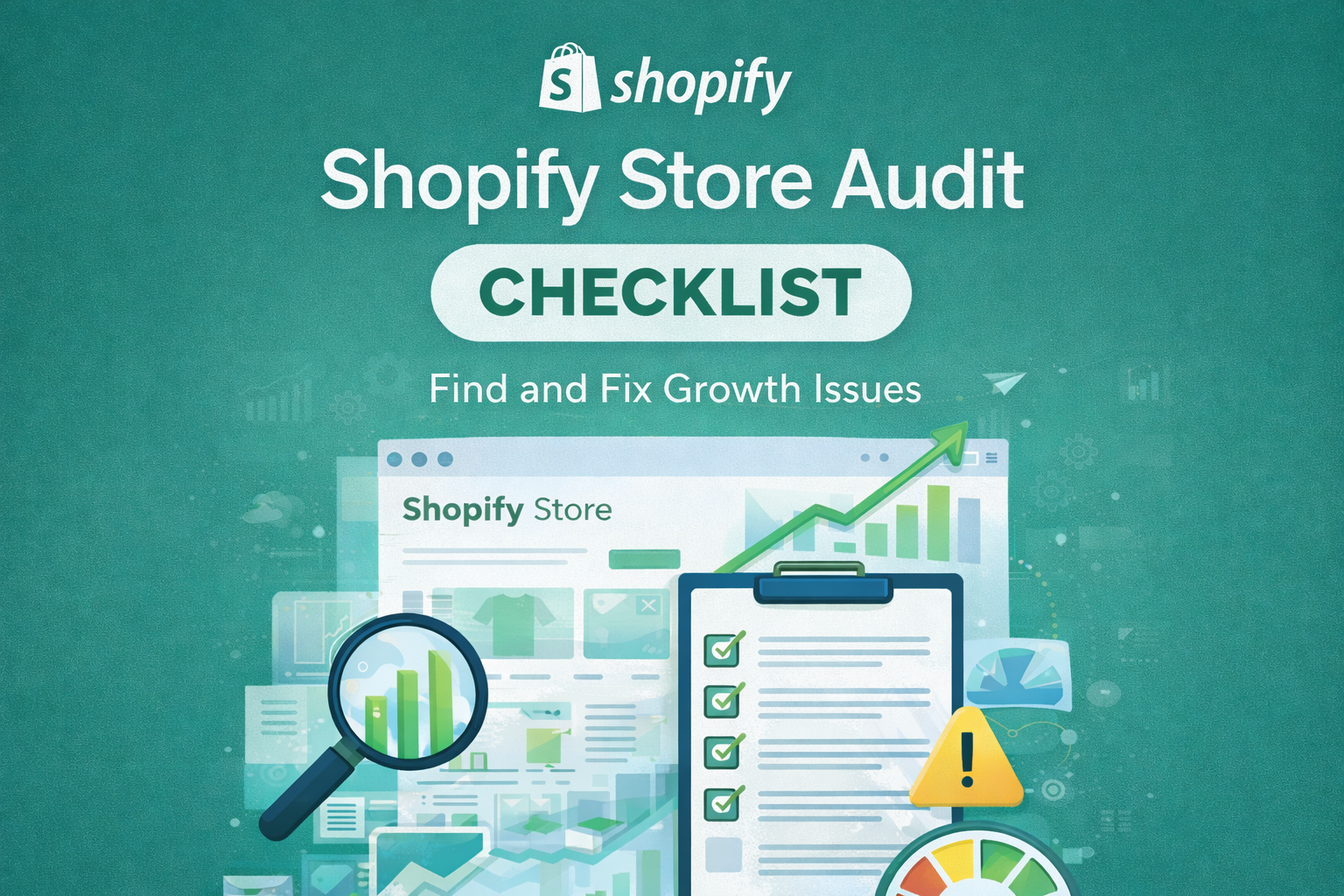
Shopify Store Audit Checklist: How to Find and Fix Growth Issues Before Scaling
A Shopify store audit checklist is essential for any eCommerce business that wants to grow. Most Shopify stores never reach their full revenue potential; not because the products are wrong, but because foundational issues go undiagnosed for months. Store owners invest in paid ads, hire agencies, and launch campaigns without understanding why their current setup is leaking revenue. What This Guide Covers Therefore, before you scale traffic, launch a new campaign, or invest in a redesign, you need a clear picture of what’s actually happening. This Shopify store audit checklist will help you evaluate your store like a professional Shopify agency would, covering every area that impacts growth. What Is a Shopify Store Audit? A Shopify store audit is a systematic review of your entire eCommerce operation. It examines how well your store is set up to attract visitors, convert them into customers, and retain them for repeat purchases. A thorough audit covers five core areas: technical performance including site speed and mobile functionality, SEO including site structure and content optimisation, conversion rate optimisation including product pages and checkout flow, marketing effectiveness including traffic quality and email automation, and user experience including navigation and trust signals. Audits are valuable at multiple stages. When launching a store, an audit ensures your foundation is solid before spending on traffic. For stores that have been running for a while but growth has stalled, an audit identifies the bottlenecks. Similarly, when preparing to scale with paid advertising, an audit confirms your store can handle increased traffic without wasting ad spend on a broken funnel. The goal is simple: identify what’s working, what’s broken, and what’s missing entirely. Why a Shopify Store Audit Is Critical for Growth Many store owners assume their main problem is traffic. They invest heavily in ads, influencer partnerships, or SEO without realising their store isn’t converting the visitors they already have. This is like pouring water into a bucket with holes in it. A Shopify store audit reveals whether you have a traffic problem, a conversion problem, or both. These require completely different solutions, and misdiagnosing the issue wastes significant time and money. Hidden revenue leaks are common in Shopify stores. Slow page speeds cause visitors to abandon before they even see your products. Poor mobile experience drives away the majority of shoppers who browse on phones. Confusing navigation makes it difficult for customers to find what they want. Weak product pages fail to convince visitors to add items to cart. Checkout friction causes cart abandonment at the final stage. If you’re running paid ads on a store with these issues, you’re essentially paying to send traffic to a broken experience. Your cost per acquisition stays high, your return on ad spend stays low, and you burn through budget without understanding why. SEO traffic that doesn’t convert is equally problematic. Ranking for keywords is meaningless if visitors land on pages that don’t guide them toward a purchase. An audit examines whether your organic traffic is aligned with buyer intent and whether your landing pages deliver what searchers expect. Shopify Store Audit Checklist Use this checklist to evaluate your store systematically. Each section covers a different aspect of store performance, and issues in any area can significantly impact your growth. Technical and Performance Audit for Your Shopify Store Technical issues create friction before customers even engage with your content. Start here because poor performance undermines everything else. Site Speed Mobile Usability Theme Performance App Bloat Core Web Vitals Shopify SEO Audit SEO determines how well your store attracts organic traffic from search engines. Poor SEO means you’re invisible to potential customers actively searching for products like yours. Site Structure Collection Pages Product Page SEO Internal Linking Duplicate Content Indexing Issues Conversion Rate Optimisation Audit Getting traffic is only half the equation. Your store must convert visitors into customers, and small improvements here often have outsized impact on revenue. Product Page Clarity Calls to Action Trust Signals Checkout Friction Mobile Conversion Issues Marketing and Traffic Audit Even the best-optimised store needs quality traffic. This section evaluates whether your marketing efforts are bringing the right visitors and whether you’re equipped to maximise their value. Traffic Sources Quality Paid Ads Readiness Email Marketing Flows Retargeting Setup Attribution Gaps Common Shopify Growth Mistakes Found in Audits After reviewing hundreds of Shopify stores, certain patterns emerge repeatedly. Understanding these common mistakes helps you recognise whether your store might be suffering from the same issues. Driving Traffic Too Early Many store owners rush to scale traffic before their conversion funnel is optimised. They invest thousands in ads, only to discover their store converts at a fraction of industry benchmarks. Fixing conversion issues first means every pound spent on traffic works harder. Ignoring Mobile User Experience Over seventy percent of eCommerce traffic now comes from mobile devices, yet many stores are still designed with desktop users in mind. Small text, difficult navigation, and clunky checkout processes drive mobile visitors away. A store that looks good on desktop but frustrates mobile users is leaving significant revenue on the table. Overusing Apps Shopify’s app ecosystem is powerful, but many stores install far more apps than they need. Each app adds code that can slow your store and create potential conflicts. Audits frequently reveal stores running fifteen or more apps when five would accomplish the same goals more efficiently. No Customer Retention Strategy Acquiring a new customer costs significantly more than retaining an existing one, yet many stores focus exclusively on acquisition. Without email sequences, loyalty programs, or repeat purchase incentives, stores miss the opportunity to maximise customer lifetime value. No Keyword Focus Stores without a clear SEO strategy have product pages that target no specific keywords, collection pages with generic titles, and blog content that doesn’t support commercial goals. This scattered approach makes it nearly impossible to build organic traffic or rank for valuable search terms. What to Fix First: A Priority Framework Once you’ve completed your audit, you’ll likely have a list of issues to address. Trying to
Pro Marketing Solutions for Shopify Stores : An Ultimate Guide
Shopify Apps & Integrations, Shopify Conversion Rate Optimization (CRO), Shopify eCommerce Trends & Insights, Shopify Email & Social Media Marketing, Shopify Marketing & SEO Strategies, Shopify Store Growth & Scaling, Shopify Store Management & Analytics, Shopify Store Setup & Customization, Shopify Success Stories & Case Studies
Effective Shopify store marketing requires Pro Marketing Solutions for Shopify Stores and a combination of strategic plan of action, imagination, and the appropriate resources. With so many marketing options at your service, it’s necessary to pinpoint the best tactics for increasing traffic, revenue and building dedicated customers. We’ll look at expert marketing strategies for Shopify stores in this tutorial, which can make you stand out in an increasingly competitive marketplace. 1. Optimizing Your Shopify Store Before diving into advanced marketing tactics, it’s crucial to ensure your Shopify store is optimized for both search engines and users. A well-optimized store owner that uses Pro Marketing Solutions for Shopify Stores can significantly enhance user experience, improve rankings, and increase conversion rates. Here’s how to optimize your store effectively: 1.1 Website Speed A fast-loading website is essential for retaining customers and improving SEO rankings. Slow load times can frustrate users and lead to higher bounce rates. Use tools like Google PageSpeed Insights to identify bottlenecks and optimize page speed. Compress images, enable browser caching, and minimize unnecessary scripts to improve your store’s performance. 1.2 Mobile Optimization As mobile traffic continues to rise, ensuring your Shopify store is fully responsive is vital. Most Shopify themes are mobile-friendly, but you may need to make specific adjustments to guarantee a seamless mobile shopping experience. Ensure that text is legible, buttons are easy to click, and navigation is smooth on smaller screens. 1.3 SEO Best Practices Search engine optimization (SEO) is key to making your store discoverable. Improve your URLs, meta descriptions, and product titles for better search engine visibility. Be mindful of keyword placement—focus on relevance, and avoid keyword stuffing. To streamline the SEO process, consider using apps like Plug in SEO or Smart SEO for optimization and automated suggestions. 2. Email Marketing Email marketing remains one of the most effective ways and a Pro Marketing Solutions for Shopify Stores to nurture relationships with customers and drive sales. Here’s how you can leverage email marketing to its fullest potential: 2.1 Building an Email List Growing your email list should be a priority. Use tactics like pop-ups, exit-intent offers, and offering incentives (e.g., discounts) to encourage sign-ups. Ensure compliance with GDPR and other data protection laws to build trust and safeguard customer information. 2.2 Crafting Effective Campaigns Segment your audience to send personalized emails that resonate with specific groups. Use email marketing tools like Mailchimp or Klaviyo to automate campaigns, monitor performance, and fine-tune your messaging. Personalized offers, product recommendations, and timely reminders can boost engagement and conversions. 2.3 Abandoned Cart Recovery Abandoned cart emails are a great way to recover lost sales. Automatically send reminders to customers who’ve left items in their cart, offering them incentives like discounts or free shipping to encourage them to finalize their purchase. 3. Social Media Marketing Social media is a powerful tool for engaging with your audience and boosting brand visibility. It isone of the best Pro Marketing Solutions for Shopify Stores. To make the most of your social media efforts, consider the following strategies: 3.1 Choosing the Right Platforms Understanding where your target audience spends the most time is key. Popular platforms like Facebook, Instagram, and Pinterest are great for building brand presence, but newer platforms like TikTok can also be effective if they align with your audience. Stay on top of trends to reach the right demographic. 3.2 Content Strategy Create a well-rounded content calendar that includes a mix of promotional posts, user-generated content, behind-the-scenes looks, and engaging visuals. Tools like Canva Pro can help you design high-quality images and videos to keep your social media feed fresh and appealing. 3.3 Influencer Partnerships Collaborating with influencers who genuinely resonate with your brand can amplify your reach. Choose influencers whose values align with yours and who have an engaged following. Platforms like AspireIQ can help you manage relationships and track influencer campaigns for optimal results. 4. Paid Advertising Paid advertising can provide significant returns when done correctly. By targeting the right audience and using effective ad strategies, you can boost your store’s visibility and drive targeted traffic. Here’s how: 4.1 Google Ads Google Ads allows you to target high-intent customers who are actively searching for products like yours. Utilize search ads and Google Shopping ads to capture the attention of potential buyers. Optimize your campaigns with relevant keywords and continuously monitor performance to ensure maximum ROI. 4.2 Facebook and Instagram Ads Facebook and Instagram’s robust targeting features allow you to reach specific demographics, interests, and behaviors. Leverage advanced targeting and ad formats like carousel ads, video ads, and remarketing ads to drive traffic and increase conversions. 4.3 Retargeting Campaigns Retargeting campaigns help bring back customers who previously visited your store but didn’t make a purchase. By showing them relevant ads across multiple platforms, you can encourage them to complete their purchase. Tools like AdRoll simplify retargeting management and campaign optimization. 5. Content Marketing High-quality content is essential for attracting, engaging, and retaining customers. By establishing your brand as an authority in your industry, you can build trust and loyalty. Here’s how to leverage content marketing: 5.1 Blogging Starting a blog is an excellent way to share product updates, how-to guides, and industry insights. Make sure your blog posts are SEO-optimized, providing value to both users and search engines. Promote your blog content via social media and email newsletters to increase visibility and drive traffic. 5.2 Video Content Video marketing is one of the most engaging content types. Use video to showcase product features, share customer testimonials, or offer a behind-the-scenes look at your business. Platforms like YouTube and Instagram Reels are perfect for distributing video content and increasing brand awareness. 5.3 User-Generated Content Encourage your customers to share their experiences with your products. This type of content not only builds social proof but also strengthens your community. Feature customer reviews, photos, and stories on your website and social media channels to create a sense of trust and authenticity. 6. Analytics and Data-Driven Decisions Data should guide your marketing

Trending themes : Transform your Shopify store with these
The pre-made templates, known as Shopify themes, define the style and appearance of your online business. These trending themes provide a variety of features and layouts that you may modify to match the style of your business. Selecting the ideal Shopify theme is essential since it influences your store’s user friendliness and appearance, in addition to its performance. We’ll look at a few of the most popular Shopify themes in this post to see how they may help you turn your online store into an aesthetically pleasing and effective eCommerce platform. The importance of choosing the right theme from trending themes Customer attraction and retention are greatly influenced by the theme you select for your Shopify business. A well-thought-out theme can boost conversions by optimizing the user experience and site navigation. A theme should be more than simply visually appealing; it should also be quick to load, responsive, and SEO-friendly. Making the right decision for your business will be made easier with the help of this article, which will walk you through the top trendy Shopify themes that blend style and functionality. Understanding Shopify themes Shopify provides a large selection of themes, each of which meets distinct aesthetic and commercial requirements. Themes fall into several general categories: mobile-optimized, creative, minimalist, high-conversion, and niche-specific. While creative themes offer strong and imaginative layouts, minimalist themes concentrate on basic, streamlined designs that draw attention to your products. The goal of high-conversion themes is to increase sales by carefully placing product displays and call-to-action icons. Niche-specific themes are designed to cater to particular industries like food, electronics, or fashion, while mobile-optimized themes guarantee that your store looks outstanding on any screen. Free vs. Paid Shopify Themes Selecting between a premium trending themes and free Shopify theme is one of your initial choices. Since they provide basic features and design possibilities, free themes are an excellent place for small businesses to get started. On the other hand, more advanced functions like integrated SEO tools, customizable layouts, and improved support are usually found in premium themes. Free themes are cost-effective; however, paying for a theme can have long-term advantages like enhanced performance, distinctive designs, and more frequent updates. Key Features to Look for in a Theme There are a few important factors to take into account while choosing a Shopify theme. Being responsive is essential since your store should appear great on PCs, smartphones, and other devices. When your store is optimized for search engines, it will rank highly and get traffic from organic searches. Customizability lets you adapt the theme to the unique requirements of your business, and quick loading times keep users interested. If you’re trying to reach a worldwide audience, you should also think about themes that have social media integration, app compatibility, and multilingual capabilities built right in. Minimalist Shopify themes For those who want a simple and uncomplicated appearance trending themes, Shopify store owners frequently choose minimalist themes. These themes highlight elegance and simplicity, giving your products the spotlight. Because minimalist themes offer lots of white space to enhance visuals, they are perfect for retailers that feature high-quality product photos. These themes also typically load faster, which can enhance the user experience and raise search engine results. Trending minimalist themes include “Brooklyn,” “Simple,” and “Debut.” Creative and artistic themes Creative and artistic Shopify trending themes are ideal for stores looking to create a lasting impression. These themes frequently have eye-catching layouts, eye-catching colors, and creative design elements. For brands in fields where visual impact is important, like fashion, art, or design, they are ideal. The greater customization options provided by creative themes let you highlight the unique qualities of your company. Well-known examples are “Narrative,” “Venture,” and “Boundless,” each of which has its own aesthetic. High-Conversion Themes The primary goal of high-conversion themes is to convert site visitors into paying clients. These themes frequently have well-placed calls to action, optimized product pages, and expedited checkout procedures. Stores looking to increase sales and improve conversion rates should choose high-conversion themes. Advanced features like exit-intent popups, product recommendations, and upsell prompts are usually included with them. Themes with strong conversion rates that are currently popular are “Booster,” “Prestige,” and “Impulse.” Mobile-Optimized Themes It is necessary to have a Shopify theme that is optimized for mobile devices in the modern world. These themes guarantee that your store works and looks great on tablets and smartphones. Themes that are optimized for mobile devices are made to be responsive, with features like swipeable product photos and quick view, as well as touch-friendly navigation and short loading times. Selecting a theme that is optimized for mobile devices can greatly improve the user experience and boost sales, especially as more people buy on their phones. Trending themes that are optimized on mobile devices are “Fastor,” “Ella,” and “Turbo.” Niche-Specific Shopify Themes Niche-specific themes include features and designs that are specialized for products or markets, catering to specific businesses. There is a theme made to fit your demands, whether you sell food, technology, fashion, or beauty products. Pre-built layouts and templates that comply with industry standards are frequently included with niche-specific themes, which facilitates the creation of a shopfront that looks professional. “Kalles” for fashion, “Electro” for technology, and “Foodly” for food and beverage businesses are a few well-known examples. Industry Experts’ Recommendations on Shopify Themes Industry insiders suggest focusing on the unique requirements and objectives of your store while selecting the ideal Shopify theme. Experts at Shopify say that prioritizing functionality and user experience above appearances is important. Increased conversions and happier customers might result from using a theme that complements the identity of your business and has the features they need. Experts advise taking into account the theme’s customer support availability and compatibility with third-party programs. Successful Shopify Stores and Their Themes Examining flourishing Shopify stores can offer significant perspectives on the influence of an appropriate theme. For instance, the clothing line “Gymshark” highlights its sleek, contemporary style with a unique theme that offers a flawless

The Ultimate Guide to Pro Marketing Solutions
The Ultimate Guide to Pro Marketing Solutions for Shopify Stores Introduction Effective Shopify store marketing requires a combination of a strategic plan of action, imagination, and the appropriate resources. With so many other Ultimate Guide to Pro Marketing options at your disposal, it’s necessary to pinpoint the best tactics for increasing traffic, revenue, and building dedicated customers. We’ll look at expert marketing strategies for Shopify stores in this tutorial, which can make you stand out in an increasingly competitive marketplace. 1. Optimising Your Shopify Store Verify that your store is optimized for both search engines and users before implementing more advanced marketing strategies. Here are some important aspects to remember: 1.1 Website Speed Both user experience and search engine rankings are enhanced by a website that loads quickly. Use resources like as Google PageSpeed Insights to highlight areas that require enhancement. 1.2 Mobile Optimization Double-check that your store is completely responsive since more and more customers are making purchases from mobile devices. Although The Ultimate guide to pro marketing most Shopify themes are responsive, you might need to make some unique modifications. 1.2 SEO Best Practices Improve URLs, meta tags, and product descriptions. Incorporate appropriate keywords carefully; do not stuff keywords. To speed up this procedure, think about utilizing SEO applications such as Plug in SEO or Smart SEO. 2. Email Marketing Email marketing is a powerful tool for nurturing customer relationships and driving sales. Here’s how to make the most of it: 2.1 Building an Email List To expand your email list, use pop-ups, exit-intent offers, and rewards like discounts. Make sure that the GDPR and other data protection laws are followed. 2.2 Crafting Effective Campaigns Send individualized content by categorizing your audience. Use email marketing tools to streamline and evaluate your campaigns, such as Mailchimp or Klaviyo. 2.3 Abandoned Cart Recovery Send out automated emails to customers who have left things in their carts, encouraging them to finish their purchase by providing incentives like discounts. 3. Social Media Marketing Use social media to interact with your audience and boost your brand’s visibility. 3.1 Choosing the Right Platforms Determine where is the majority of your target audience’s time spent. Prioritize well-known social media sites like Facebook, Pinterest, and Instagram, but don’t ignore booming ones like TikTok if they suit your business. 3.2 Content Strategy Make a content calendar that combines user-generated content, appealing images, and promotional posts. Use such tools which provide high quality videos and images like Canva Pro. 3.3 Influencer Partnerships Work together with influencers who genuinely connect with those you want to reach and who share the same values as your business. To identify and manage influencer relationships, use solutions such as AspireIQ. 4. Paid Advertising If paid advertising is invested in correctly, it can provide significant profits. 4.1 Google Ads To target customers with high intent, use search advertisements and Google Shopping advertisements. Use pertinent keywords to optimize your campaigns, and keep a continuous eye on their effectiveness. 4.2 Facebook and Instagram Ads Utilize Facebook’s advanced targeting features to connect with particular populations. To optimize ROI, make advantage of remarketing, video advertisements, and carousel advertisements. 4.3 Retargeting Campaigns Use retargeting techniques to bring back customers who showed interest in your goods. These campaigns can be managed across several channels with the use of platforms such as AdRoll. 5. Content Marketing By producing high-quality content, you can attract and keep consumers while building your brand’s authority in your industry. 5.1 Blogging Create a blog to provide product updates, how-to manuals, and industry insights. Posts should be promoted via email newsletters and social media in addition to being SEO-optimized. 5.2 Video Content To highlight product features, client endorsements, and behind-the-scenes information, spend money on video marketing. For distribution, websites like YouTube and Instagram Reels are excellent. 5.3 User-Generated Content Invite clients to write about their interactions with your products. To establish community and trust, highlight this information on your website and social media accounts. 6. Analytics and Data-Driven Decisions Utilize data to guide your marketing tactics and boost output. 6.1 Google Analytics To monitor visitor activity, traffic sources, and conversion rates, set up Google Analytics. Make the most of your marketing efforts by using this data. 6.2 Shopify Analytics Make use of Shopify’s integrated analytics to keep an eye on revenue, client behavior, and product effectiveness. For a more complete picture, integrate this data with insights obtained from your marketing channels. 6.3 A/B Testing To find out what works best for your audience, run a series of A/B tests on your website and marketing initiatives. Efficient tools such as Optimizely can facilitate this procedure. Conclusion By putting these expert marketing strategies into practice, you may greatly improve the performance of your Shopify store. You can achieve your business objectives by making data-driven decisions, investing in paid advertisements, optimizing your website, utilizing email and social media marketing, and producing high-quality content. FAQ’s 1. How can I drive more traffic to my Shopify store? Focus on SEO, social media marketing, paid advertising, and content marketing. Optimize your website for search engines, engage with your audience on social media, invest in targeted ads, and create valuable content. 2. What are the best tools for email marketing? Klaviyo and Mailchimp are popular choices for Shopify stores. They offer robust automation, segmentation, and analytics features to help you run effective email campaigns. 3. How can I improve my store’s SEO? Optimize product descriptions, meta tags, and URLs with relevant keywords. Use SEO apps like Smart SEO or Plug in SEO, and regularly publish high-quality content on your blog. 4. What types of social media content should I create? Mix promotional posts with user-generated content, engaging visuals, and videos. Highlight customer testimonials, behind-the-scenes looks, and product tutorials. 5. How do I measure the success of my marketing campaigns? Use tools like Google Analytics, Shopify Analytics, and insights from your marketing platforms. Track key metrics such as traffic, conversion rates, and ROI to evaluate performance. 6. What is retargeting and how does it work? Retargeting
Shopify App Development with Google : Shopify Trends
In the ever-changing world of e-commerce, Shopify app development with Google is one of the trending things. Staying ahead of the curve requires continuous innovation and the use of advanced technologies. Shopify, one of the leading e-commerce platforms, has revolutionized online retail, enabling businesses of all sizes to grow their digital presence seamlessly. A key component of Shopify’s success lies in its vast ecosystem of third-party apps, which enhance functionality and offer tailored solutions for a variety of business needs. With the integration of Google technologies, Shopify app development is now positioned to offer even greater opportunities. Including merchants to optimize their operations, boost sales, and improve customer experiences. Harnessing Google’s Machine Learning for Personalized Experiences One of the most exciting aspects of integrating Google into Shopify app development is the ability to tap into Google’s powerful machine learning capabilities. Tools like TensorFlow and Google Cloud Machine Learning Engine allow developers to create intelligent, data-driven apps that: By utilizing machine learning, Shopify merchants can gain valuable insights into customer behavior, identify emerging trends, and make data-driven decisions to foster growth and improve profitability. Enhancing Productivity with Google Workspace Integration Google’s suite of productivity and collaboration tools, such as Google Workspace and G Suite, can significantly enhance efficiency for Shopify merchants. Integrating these tools into Shopify apps offers the following benefits: By incorporating these tools, Shopify merchants can improve their internal processes and foster better communication, enabling them to work more effectively both on-site and remotely. Ensuring Security with Google’s Robust Infrastructure Security is a top priority for any e-commerce business, and Google’s industry-leading security features provide peace of mind for both merchants and their customers. Google Cloud offers advanced security measures such as: By leveraging Google’s security infrastructure, Shopify developers can build secure, compliant apps that mitigate cybersecurity risks, creating a safe shopping environment for customers and safeguarding merchants from potential threats. Expanding Reach with Google Ads and Targeted Campaigns Google’s powerful advertising tools present an invaluable opportunity for Shopify merchants to expand their reach and drive customer acquisition. Using Google Ads, merchants can: Google Ads provides a comprehensive platform for merchants to grow their businesses, scale customer acquisition, and increase sales with highly effective, data-driven campaigns. Collaborating with Google’s Ecosystem for Further Growth Beyond technology, Google offers additional support for Shopify merchants through programs like Google for Startups and Google Developer Groups. These initiatives provide: By tapping into Google’s ecosystem, Shopify developers can gain the resources needed to innovate and grow their businesses, while also connecting with fellow developers to share knowledge and collaborate on new projects. Conclusion: A Bright Future for Shopify App Development with Google Integration The integration of Google technologies into Shopify app development opens up exciting new opportunities for merchants. By harnessing the power of Google’s Cloud Platform, machine learning, productivity tools, security features, and advertising platforms, developers can create intelligent and efficient Shopify apps that drive business success. With Google as a strategic partner, the future of Shopify app development looks incredibly promising, empowering merchants to thrive in the rapidly evolving world of e-commerce.

Mastering E-Commerce: 7 Shopify Themes That Top Ranks
Mastering E-commerce In the competitive landscape of e-commerce, having a visually appealing online store isn’t enough. To stand out, your Shopify store needs to rank high on Google search results. The key to achieving this lies in selecting a theme that not only captivates your audience but also aligns with Google’s ranking criteria. Here, we delve into seven Shopify themes renowned for their SEO-friendliness, ensuring your store gets the visibility it deserves. 1. Retina by Out of the Sandbox: Renowned for its sleek design and customizable features, Retina by Out of the Sandbox is a favorite among e-commerce entrepreneurs. What sets it apart is its adherence to SEO best practices. With clean, optimized code and mobile-responsive design, Retina ensures your store performs well across all devices, a crucial factor in Google’s ranking algorithm of Mastering SEO. 2. Turbo by Out of the Sandbox: Another gem from Out of the Sandbox of Mastering E-Commerce Turbo is designed for speed and performance. Its lightweight code and emphasis on page load times make it a favorite for SEO-conscious store owners. Turbo’s built-in schema markup further enhances your store’s visibility on search engine results pages (SERPs), providing rich snippets that attract more clicks and traffic. 3. Debutify: Debutify is not just a theme; it’s a comprehensive conversion optimization toolkit. While its aesthetic appeal is undeniable, Debutify shines in its SEO capabilities. From customizable meta tags to integrated JSON-LD structured data, Debutify empowers you to optimize every aspect of your store for search engines. Its focus on user experience also contributes to lower bounce rates and higher rankings on Google. 4. Shoptimized: As the name suggests, Shoptimized is designed to optimize your Shopify store for maximum conversions and search engine visibility. Its clean, minimalist design is complemented by SEO features such as customizable meta titles, descriptions, and alt tags. Shoptimized also offers built-in tools for keyword research and content optimization, helping you craft compelling product pages that rank higher on Google. 5. Ella: Ella is a versatile Shopify theme known for its flexibility and performance. Its SEO-friendly features include optimized heading structures, breadcrumb navigation, and image optimization options. Ella’s compatibility with popular SEO apps and plugins further extends its capabilities, allowing you to fine-tune your store’s SEO strategy without compromising on design or functionality. 6. Pipeline: Pipeline combines elegance with functionality, making it a top choice for boutique stores and niche markets. Beyond its stylish aesthetics, Pipeline prioritizes SEO with features like customizable URL structures, canonical tags, and optimized heading tags. Its responsive design ensures a seamless user experience across devices, contributing to higher search engine rankings and increased organic traffic. 7. Supply Designed for large inventories and multi-level categorization, Supply is a robust Shopify theme optimized for SEO performance. Its clean codebase and fast page load times make it a favorite among store owners seeking higher search rankings. Supply’s integration with Google Analytics and other SEO tools enables comprehensive tracking and optimization, empowering you to refine your SEO strategy over time. In conclusion, selecting the right Shopify theme is crucial for achieving success in the competitive world of e-commerce. By choosing one of these seven SEO-friendly themes, you can elevate your store’s visibility on Google and attract more organic traffic. Remember, a visually stunning store is only half the battle won; it’s the SEO-optimized foundation that propels your store to the top ranks of Google’s search results.
SEO for Shopify: A Comprehensive Guide for Marketing
In the vast and competitive world of e-commerce, having a strong online presence is key to success. One of the most effective ways to improve your Shopify store’s visibility and drive organic traffic is through (SEO). By optimizing your Shopify store for search engines, you can increase your chances of ranking higher on Google.In this guide, we’ll explore the fundamentals of SEO for Shopify and provide you with actionable tips to improve your store’s rankings. Understanding SEO for Shopify SEO is the process of optimizing your website to improve its visibility on search engines like Google. When someone searches for a product or service related to your Shopify store, you want your website to appear at the top of the search results. SEO involves various strategies and techniques, including keyword research, on-page optimization, and link building, all aimed at improving your website’s ranking in search engine results pages (SERPs). Keyword Research Keywords are the foundation of SEO. They are the words or phrases that people type into search engines when looking for information. To optimize your Shopify store for search engines, you need to conduct keyword research to identify relevant keywords related to your products or services. Use tools like Google Keyword Planner, SEMrush, or Ahrefs to find keywords with high search volume and low competition. On-Page Optimization On-page optimization involves optimizing the content and structure of your Shopify store’s pages to make them more search engine-friendly. This includes using relevant keywords in your page titles, meta descriptions, headings, and content. Make sure your URLs are descriptive and include your target keywords. Additionally, optimize your images by using descriptive filenames and alt text. Content Creation Creating high-quality, engaging content is essential for SEO. In addition to product descriptions, consider creating blog posts, how-to guides, and other types of content that provide value to your audience. Use your target keywords naturally throughout your content and aim to answer common questions or solve problems that your customers may have. Link Building Link building is another important aspect of SEO. It involves getting other websites to link to your Shopify store, which can help improve your store’s authority and credibility in the eyes of search engines. Focus on building quality backlinks from reputable websites in your industry. Mobile Optimization With more people using mobile devices to browse the internet, it’s crucial to ensure that your Shopify store is optimized for mobile. This includes using a responsive design that adapts to different screen sizes, optimizing your images and videos for mobile, and ensuring fast loading times. Monitoring and Analysis Once you’ve implemented SEO strategies for your Shopify store, it’s important to monitor your store’s performance and analyze the results. Use tools like Google Analytics and Google Search Console to track your website traffic, keyword rankings, and other relevant metrics. Use this data to identify areas for improvement and refine your SEO strategy accordingly. Conclusion SEO is a powerful tool for improving your Shopify store’s visibility and driving organic traffic. By implementing the strategies outlined in this guide, you can optimize your store for search engines and improve your chances of ranking higher on Google. Remember, SEO is an ongoing process, so continue to monitor your store’s performance and make adjustments as needed to stay ahead of the competition. In conclusion, SEO is a valuable investment for any Shopify store looking to improve its visibility and drive organic traffic. By implementing the strategies outlined in this guide, you can optimize your store for search engines and improve your chances of ranking higher on Google.
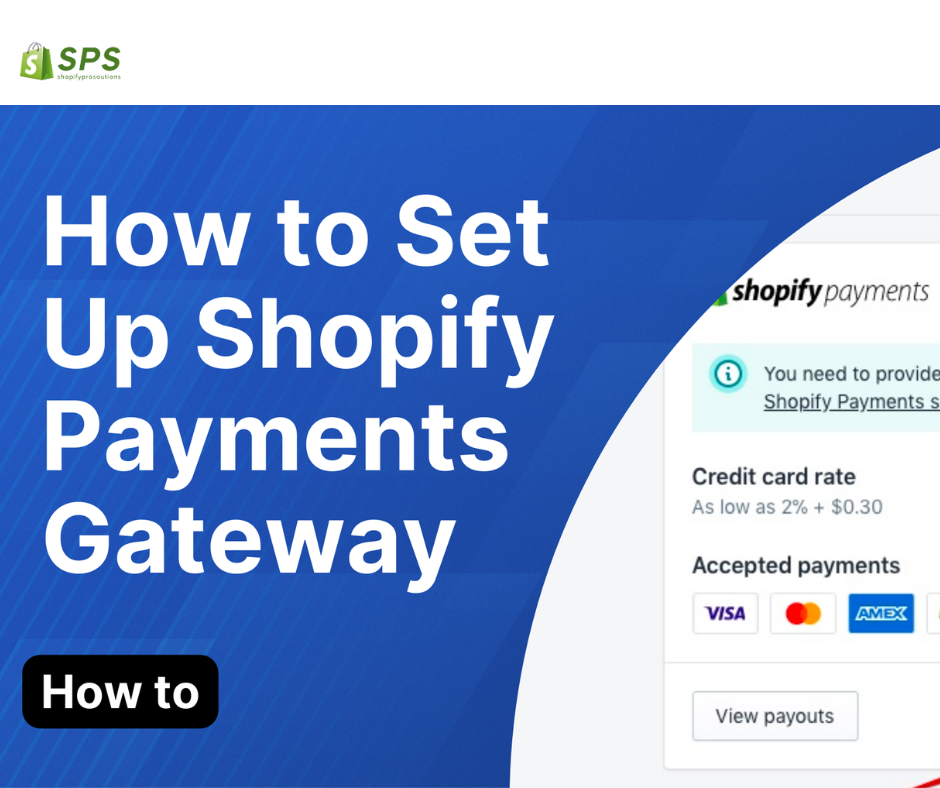
Shopify Payment Gateway Setup
Table of Contents No. Outline Subheadings 1 Introduction Understanding Shopify Payment Gateway 2 Setting Up Shopify Payments Accessing Your Shopify Dashboard 3 Configuring Payment Providers Choosing Shopify Payments 4 Exploring Alternative Gateways Opting for PayPal or Stripe 5 Optimizing Checkout for Conversion Streamlining Checkout Process 6 Offering Multiple Payment Options Credit Cards, Digital Wallets, and More 7 Ensuring Security and Trust Displaying Trust Badges 8 Conclusion Empowering Your E-commerce Journey 9 FAQs Frequently Asked Questions Shopify Payment Gateway Setup 1. Introduction In the digital landscape of e-commerce, setting up a secure and efficient payment gateway is paramount to success. Shopify, one of the leading e-commerce platforms, offers a seamless Payment Gateway Setup, ensuring smooth transactions and enhanced customer trust. Understanding Shopify Payment Gateway Shopify Payment Gateway serves as the backbone of your online store’s financial transactions. Integrated directly into your Shopify dashboard, it facilitates secure and encrypted payments, protecting both merchants and customers from potential fraud. 2. Setting Up Shopify Payments Accessing Your Shopify Dashboard To begin your Shopify Payment Gateway setup journey, log in to your Shopify account and navigate to the Settings tab. From there, select Payment Providers to explore available options. 3. Configuring Payment Providers Choosing Shopify Payments Within the Payment Providers menu, opt for Shopify Payments as your primary payment gateway. This native integration ensures seamless transactions and provides access to additional features exclusive to Shopify merchants. 4. Exploring Alternative Gateways Opting for PayPal or Stripe While Shopify Payments offers convenience, consider integrating alternative gateways such as PayPal or Stripe. These platforms expand payment options for customers and can complement Shopify Payments to cater to diverse preferences. 5. Optimizing Checkout for Conversion Streamlining Checkout Process Minimize friction in the checkout process by reducing the number of steps required to complete a purchase. A streamlined checkout enhances user experience and reduces cart abandonment rates, ultimately boosting conversion rates. 6. Offering Multiple Payment Options Credit Cards, Digital Wallets, and More Diversify your payment options to accommodate various customer preferences. Accept major credit cards, integrate digital wallets like Apple Pay and Google Pay, and consider alternative payment methods to cater to a broader audience. 7. Ensuring Security and Trust Displaying Trust Badges Instill confidence in your customers by prominently displaying trust badges and SSL certificates throughout the checkout process. These visual cues reassure customers of the security measures in place, fostering trust and encouraging completed transactions. 8. Conclusion In conclusion, mastering the Shopify Payment Gateway Setup is essential for any e-commerce entrepreneur. By understanding the intricacies of payment processing, exploring alternative gateways, and optimizing checkout for conversion, you pave the way for a successful online store. FAQs (Frequently Asked Questions) 1. Is Shopify Payments the only option for payment processing on Shopify? No, Shopify allows merchants to integrate alternative payment gateways such as PayPal, Stripe, and more to offer diverse payment options to customers. 2. How long does it take to set up Shopify Payments? Setting up Shopify Payments is quick and straightforward, typically requiring only a few minutes to configure the necessary details and start processing payments. 3. Are there any transaction fees associated with Shopify Payments? Yes, Shopify Payments does incur transaction fees, which vary depending on your chosen Shopify plan. However, using Shopify Payments often results in lower transaction fees compared to third-party payment gateways. 4. Can I customize the checkout process with Shopify Payments? Yes, Shopify allows merchants to customize the checkout process, including adding custom fields, branding, and additional security measures to enhance the overall customer experience. 5. Is Shopify Payments secure for processing online transactions? Yes, Shopify Payments employs industry-standard security measures, including encryption and fraud detection, to ensure the security of online transactions for both merchants and customers.

Discover Shopify: Your Ultimate E-commerce Companion
Imagine this: You’re an aspiring entrepreneur, eager to bring your unique products to the world. You have a vision, a drive, but you lack one essential element – a platform to showcase your creations. Discover Shopify, the digital stage where dreams transform into reality, and where businesses find their online home. With over 1.7 million businesses powered by Shopify worldwide, the statistics speak volumes about its effectiveness as an e-commerce solution. From entrepreneurs crafting handmade jewelry to startups revolutionizing the tech industry. Shopify caters to a diverse array of businesses, each with its own story to tell. As we delve deeper into the world of Shopify, let’s not forget our guiding beacon – Shopify Pro Solutions. Tailored to meet the needs of entrepreneurs, startups, agencies, freelancers, and marketing professionals. Shopify Pro Solutions is here to address your Shopify issues and unlock the full potential of your online store. Exploring the Shopify Ecosystem: In the bustling realm of e-commerce, Discover Shopify reigns supreme as the go-to platform for businesses of all sizes. Whether you’re a one-person operation or a burgeoning agency managing multiple clients. Shopify offers the tools and resources to streamline your online presence. From the sleek designs of the Impact and Impulse themes to the robust functionality of the King-Shopify app, the Shopify ecosystem is teeming with possibilities. But navigating this vast landscape can be daunting, especially for those new to the world of online retail. That’s where Shopify Pro Solutions steps in, providing expert guidance and support to help you navigate the Shopify landscape with ease. Addressing Common Concerns on Discover Shopify: As you embark on your Shopify journey, you may encounter questions like, “How can I buy from Shopify?”. “How do I purchase from Shopify?” Fear not, for the answers lie within reach. With Shopify’s intuitive interface and secure payment gateways, buying from Shopify is as simple as a few clicks. But what about optimizing your product images for maximum impact? Enter the image resizer Shopify app, a handy tool for ensuring your visuals are crisp and captivating. And for those seeking to elevate their online presence, themes like Impact and Impulse offer a visually stunning backdrop for your products. Conclusion: In conclusion, Shopify stands as a beacon of opportunity for entrepreneurs, startups, agencies, freelancers, and marketing professionals alike. With its user-friendly interface, robust features, and unwavering support from Shopify Pro Solutions, the sky’s the limit for your online business ventures. As you embark on your Shopify journey, remember this: Success is not merely about reaching your destination but embracing the journey itself. So, I leave you with this thought-provoking question: How will you harness the power of Shopify to transform your dreams into reality?