
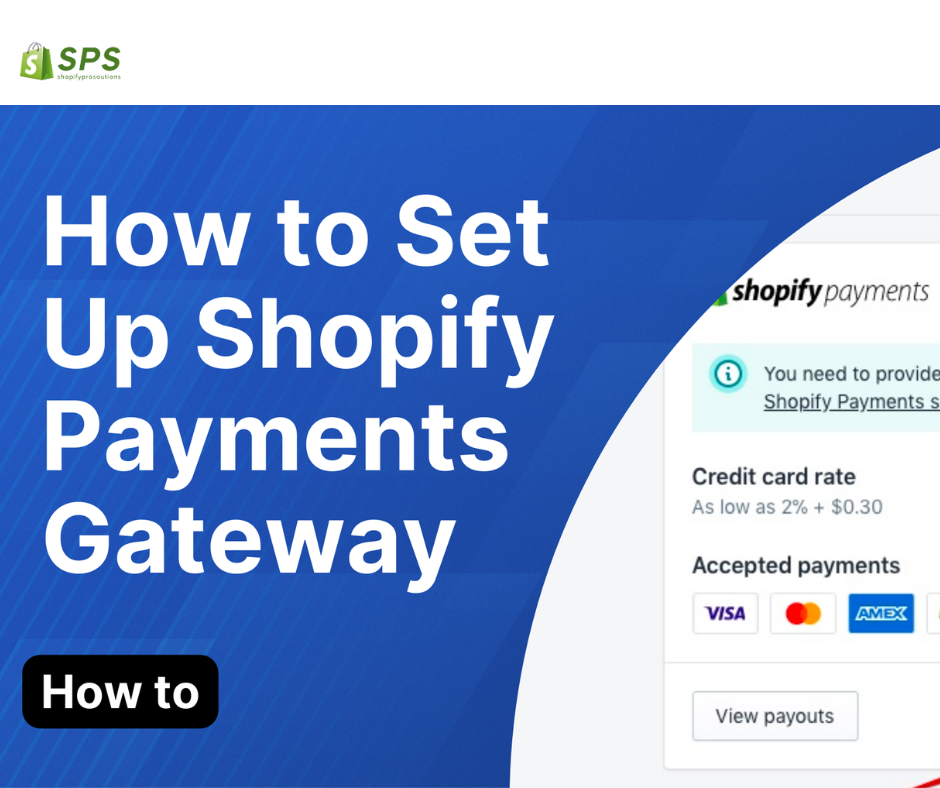
Table of Contents No. Outline Subheadings 1 Introduction Understanding Shopify Payment Gateway 2 Setting Up Shopify Payments Accessing Your Shopify Dashboard 3 Configuring Payment Providers Choosing Shopify Payments 4 Exploring Alternative Gateways Opting for PayPal or Stripe 5 Optimizing Checkout for Conversion Streamlining Checkout Process 6 Offering Multiple Payment Options Credit Cards, Digital Wallets, and More 7 Ensuring Security and Trust Displaying Trust Badges 8 Conclusion Empowering Your E-commerce Journey 9 FAQs Frequently Asked Questions Shopify Payment Gateway Setup 1. Introduction In the digital landscape of e-commerce, setting up a secure and efficient payment gateway is paramount to success. Shopify, one of the leading e-commerce platforms, offers a seamless Payment Gateway Setup, ensuring smooth transactions and enhanced customer trust. Understanding Shopify Payment Gateway Shopify Payment Gateway serves as the backbone of your online store’s financial transactions. Integrated directly into your Shopify dashboard, it facilitates secure and encrypted payments, protecting both merchants and customers from potential fraud. 2. Setting Up Shopify Payments Accessing Your Shopify Dashboard To begin your Shopify Payment Gateway setup journey, log in to your Shopify account and navigate to the Settings tab. From there, select Payment Providers to explore available options. 3. Configuring Payment Providers Choosing Shopify Payments Within the Payment Providers menu, opt for Shopify Payments as your primary payment gateway. This native integration ensures seamless transactions and provides access to additional features exclusive to Shopify merchants. 4. Exploring Alternative Gateways Opting for PayPal or Stripe While Shopify Payments offers convenience, consider integrating alternative gateways such as PayPal or Stripe. These platforms expand payment options for customers and can complement Shopify Payments to cater to diverse preferences. 5. Optimizing Checkout for Conversion Streamlining Checkout Process Minimize friction in the checkout process by reducing the number of steps required to complete a purchase. A streamlined checkout enhances user experience and reduces cart abandonment rates, ultimately boosting conversion rates. 6. Offering Multiple Payment Options Credit Cards, Digital Wallets, and More Diversify your payment options to accommodate various customer preferences. Accept major credit cards, integrate digital wallets like Apple Pay and Google Pay, and consider alternative payment methods to cater to a broader audience. 7. Ensuring Security and Trust Displaying Trust Badges Instill confidence in your customers by prominently displaying trust badges and SSL certificates throughout the checkout process. These visual cues reassure customers of the security measures in place, fostering trust and encouraging completed transactions. 8. Conclusion In conclusion, mastering the Shopify Payment Gateway Setup is essential for any e-commerce entrepreneur. By understanding the intricacies of payment processing, exploring alternative gateways, and optimizing checkout for conversion, you pave the way for a successful online store. FAQs (Frequently Asked Questions) 1. Is Shopify Payments the only option for payment processing on Shopify? No, Shopify allows merchants to integrate alternative payment gateways such as PayPal, Stripe, and more to offer diverse payment options to customers. 2. How long does it take to set up Shopify Payments? Setting up Shopify Payments is quick and straightforward, typically requiring only a few minutes to configure the necessary details and start processing payments. 3. Are there any transaction fees associated with Shopify Payments? Yes, Shopify Payments does incur transaction fees, which vary depending on your chosen Shopify plan. However, using Shopify Payments often results in lower transaction fees compared to third-party payment gateways. 4. Can I customize the checkout process with Shopify Payments? Yes, Shopify allows merchants to customize the checkout process, including adding custom fields, branding, and additional security measures to enhance the overall customer experience. 5. Is Shopify Payments secure for processing online transactions? Yes, Shopify Payments employs industry-standard security measures, including encryption and fraud detection, to ensure the security of online transactions for both merchants and customers.

Discover Shopify: Your Ultimate E-commerce Companion
Imagine this: You’re an aspiring entrepreneur, eager to bring your unique products to the world. You have a vision, a drive, but you lack one essential element – a platform to showcase your creations. Discover Shopify, the digital stage where dreams transform into reality, and where businesses find their online home. With over 1.7 million businesses powered by Shopify worldwide, the statistics speak volumes about its effectiveness as an e-commerce solution. From entrepreneurs crafting handmade jewelry to startups revolutionizing the tech industry. Shopify caters to a diverse array of businesses, each with its own story to tell. As we delve deeper into the world of Shopify, let’s not forget our guiding beacon – Shopify Pro Solutions. Tailored to meet the needs of entrepreneurs, startups, agencies, freelancers, and marketing professionals. Shopify Pro Solutions is here to address your Shopify issues and unlock the full potential of your online store. Exploring the Shopify Ecosystem: In the bustling realm of e-commerce, Discover Shopify reigns supreme as the go-to platform for businesses of all sizes. Whether you’re a one-person operation or a burgeoning agency managing multiple clients. Shopify offers the tools and resources to streamline your online presence. From the sleek designs of the Impact and Impulse themes to the robust functionality of the King-Shopify app, the Shopify ecosystem is teeming with possibilities. But navigating this vast landscape can be daunting, especially for those new to the world of online retail. That’s where Shopify Pro Solutions steps in, providing expert guidance and support to help you navigate the Shopify landscape with ease. Addressing Common Concerns on Discover Shopify: As you embark on your Shopify journey, you may encounter questions like, “How can I buy from Shopify?”. “How do I purchase from Shopify?” Fear not, for the answers lie within reach. With Shopify’s intuitive interface and secure payment gateways, buying from Shopify is as simple as a few clicks. But what about optimizing your product images for maximum impact? Enter the image resizer Shopify app, a handy tool for ensuring your visuals are crisp and captivating. And for those seeking to elevate their online presence, themes like Impact and Impulse offer a visually stunning backdrop for your products. Conclusion: In conclusion, Shopify stands as a beacon of opportunity for entrepreneurs, startups, agencies, freelancers, and marketing professionals alike. With its user-friendly interface, robust features, and unwavering support from Shopify Pro Solutions, the sky’s the limit for your online business ventures. As you embark on your Shopify journey, remember this: Success is not merely about reaching your destination but embracing the journey itself. So, I leave you with this thought-provoking question: How will you harness the power of Shopify to transform your dreams into reality?

Determine Shopify: Shopify for Inventory Management,Marketing
Unlocking Success: Mastering Shopify Inventory Management for Entrepreneurs and Marketing Professionals Running a successful e-commerce business requires efficient inventory management. For entrepreneurs and marketing professionals using Shopify as their platform, mastering inventory management is crucial for maximizing profits and customer satisfaction. In this blog post, we will explore key strategies and tips to help you unlock success through effective Determine Shopify for inventory management and Marketing The Importance of Inventory Management Effective inventory management is essential for any e-commerce business. It involves overseeing the flow of goods from suppliers to warehouses, and finally to customers. By optimizing inventory levels and processes, businesses can reduce costs, minimize stockouts, and improve customer service. Key Strategies for Shopify Inventory Management 1. Utilize Inventory Tracking Tools Determine the Shopify offers robust inventory tracking tools that allow you to monitor stock levels, track sales trends, and set up automatic alerts for low inventory. By leveraging these tools, you can make informed decisions about restocking and avoid running out of popular products. 2. Implement a Just-in-Time (JIT) Inventory System A JIT inventory system involves ordering products only when they are needed, reducing excess inventory and storage costs. By implementing JIT, you can streamline your supply chain and improve cash flow by minimizing tied-up capital in unsold inventory. 3. Optimize Product Listings and Categories Organizing your products into clear categories and optimizing product listings with detailed descriptions and high-quality images can enhance the shopping experience for customers. This can lead to increased conversions and repeat purchases. 4. Set Up Automated Reordering Automating the reordering process for fast-selling products can help you maintain optimal inventory levels without manual intervention. By setting up automated reordering based on predefined thresholds, you can ensure that popular items are always in stock. Benefits of Effective Inventory Management Mastering Shopify inventory management can provide several benefits for entrepreneurs and marketing professionals, including: Improved customer satisfaction through timely order fulfillment Reduced holding costs and inventory obsolescence Increased operational efficiency and profitability Enhanced forecasting accuracy for future inventory needs Conclusion Effective inventory management is a key component of running a successful e-commerce business on Shopify. By implementing the strategies outlined in this blog post, entrepreneurs and marketing professionals can optimize their inventory processes, reduce costs, and improve customer satisfaction. Unlock your success by mastering Shopify inventory management today!
Delivering a Shopify Store: Show up the New Features for Bigginer
Unleashing the Power of Shopify: Exploring the Latest Features for Entrepreneurs and Marketers Delivering a Shopify Store online commerce, staying ahead of the curve is not just an option – it’s a necessity. Picture this: You’re a budding entrepreneur, fueled by a passion to carve your niche in the digital marketplace. You’ve got a vision, a product, and a burning desire to succeed. But in a sea of competition, how do you stand out? Enter Shopify – your ultimate ally in the quest for e-commerce greatness. Shopify has long been hailed as a game-changer for businesses of all sizes, offering a robust platform that empowers entrepreneurs to turn their dreams into reality. And with the latest slew of features and updates, the Shopify experience has never been more exciting. So, grab your favorite brew, settle into your comfiest chair, and let’s dive into the world of Shopify Pro Solutions, where innovation meets opportunity. 1. Seamless Purchasing with Gymshark Shopify Integration Imagine this scenario: You’re a fitness enthusiast browsing the latest activewear trends, and you stumble upon Gymshark – the epitome of stylish performance apparel. With Shopify’s seamless integration, purchasing your favorite Gymshark products has never been easier. Whether you’re a seasoned pro or a newbie to online shopping, the process is as smooth as silk. Simply browse, click, and voila – your Gymshark goodies are on their way to your doorstep. 2. Enhance Your Visuals with Image Resizer Shopify In the fast-paced world of e-commerce, captivating visuals are worth their weight in gold. That’s where Image Resizer Shopify comes into play, allowing entrepreneurs to effortlessly resize and optimize their product images for maximum impact. With just a few clicks, you can ensure that your online store dazzles and delights customers, leaving them eager to hit that “Add to Cart” button. 3. Elevate Your Brand with Impact and Impulse Themes Your brand is more than just a logo – it’s a reflection of your values, your vision, and Delivering a Shopify store. With Shopify’s Impact and Impulse themes, you can elevate your online presence to new heights, captivating visitors from the moment they land on your site. Whether you’re a fashion maven, a tech guru, or a wellness warrior, these customizable themes empower you to showcase your unique identity and create a lasting impression. 4. Unlock the Power of King-Shopify for Agencies and Freelancers For agencies and freelancers navigating the ever-changing landscape of e-commerce, efficiency is key. Enter King-Shopify – your secret weapon for streamlining workflows, managing client projects, and delivering exceptional results. With powerful features designed specifically for professionals, including robust analytics, customizable reports, and seamless collaboration tools, King-Shopify empowers you to conquer challenges and exceed expectations. At Shopify Pro Solutions, we understand the unique needs and challenges facing entrepreneurs, startups, agencies, freelancers, and marketing professionals in today’s digital age. That’s why we’re committed to providing top-notch support, tailored solutions, and expert guidance every step of the way. Whether you’re grappling with technical issues, seeking strategic advice, or simply looking to take your Shopify experience to the next level, we’ve got you covered. Conclusion: In a world where change is the only constant, Shopify remains a beacon of innovation and opportunity for entrepreneurs and marketers alike. From seamless purchasing experiences to dazzling visual presentations, the latest features and updates are revolutionizing the way we do business online. So, what are you waiting for? Embrace the power of Shopify, unleash your creativity, and watch your dreams take flight. Now that you’ve explored the latest features of Shopify, what’s the next big idea you’re eager to bring to life? Share your thoughts, dreams, and aspirations in the comments below – we can’t wait to hear from you!

Boost Your Shopify Business Success Mangement and Marketing
Top SEO Strategies to Boost Your Shopify Business Success Running a successful Shopify business requires more than just setting up a store and waiting for customers to come. To truly stand out in the competitive e-commerce landscape, you need to implement effective SEO strategies that will drive organic traffic to your site and increase your visibility online. Here are some top SEO strategies to help boost your Shopify business success: 1. Conduct Keyword Research Keyword research is the foundation of any successful SEO strategy. By identifying the keywords that your target audience is searching for, you can optimize your website content to rank higher in search engine results. Use tools like Google Keyword Planner or SEMrush to find relevant keywords with high search volume and low competition. 2. Optimize Your Website Structure Ensure that your Shopify website is well-structured and easy to navigate. Use descriptive URLs, meta tags, and headings to help search engines understand the content of your pages. Create a sitemap to make it easier for search engine crawlers to index your site. 3. Create High-Quality Content Content is king when it comes to SEO. Create informative and engaging content that provides value to your audience. Use relevant keywords naturally throughout your content and include images, videos, and infographics to enhance the user experience. 4. Optimize Your Product Pages Optimize your product pages by including detailed product descriptions, high-quality images, and customer reviews. Use relevant keywords in your product titles and descriptions to improve your chances of ranking higher in search results. 5. Build Quality Backlinks Backlinks are an important ranking factor in SEO. Reach out to relevant websites and blogs in your industry to build quality backlinks to your Shopify store. Guest posting, influencer collaborations, and social media promotion are effective ways to earn backlinks to your site. 6. Monitor Your Performance Regularly monitor your website’s performance using tools like Google Analytics and Google Search Console. Track your keyword rankings, organic traffic, and conversion rates to identify areas for improvement and adjust your SEO strategy accordingly. 7. Mobile Optimization With the increasing use of mobile devices, it’s essential to ensure that your Shopify store is optimized for mobile users. Make sure your website is responsive and loads quickly on mobile devices to provide a seamless user experience. 8. Local SEO Optimization If you have a physical store or target customers in specific locations, optimize your Shopify store for local SEO. Include your business address, phone number, and business hours on your website, and create local business listings on platforms like Google My Business. 9. Utilize Social Media Social media can be a powerful tool for driving traffic to your Shopify store. Share your products, blog posts, and promotions on social media platforms like Facebook, Instagram, and Pinterest to reach a wider audience and increase brand awareness. 10. Stay Updated with SEO Trends SEO is constantly evolving, so it’s important to stay updated with the latest trends and algorithm changes. Follow industry blogs, attend webinars, and participate in online forums to stay informed and adapt your SEO strategy to stay ahead of the competition. Alternatively, consider hiring a Shopify SEO expert or Shopify SEO company to boost your efforts and ensure your ecommerce business is well-positioned for success in the ever-changing digital landscape. By implementing these top SEO strategies, you can boost your ecommerce business success and attract more organic traffic to your store. Remember that SEO is a long-term investment, so be patient and consistent in your efforts to see results over time.

Unleashing the E-Commerce:Step-by-Step Guide For Create a site
Unleashing the E-Commerce Potential: A Step-by-Step Guide on How to Create a Shopify Website Unleashing the E-Commerce In the dynamic world of online retail, having a well-designed and user-friendly website is crucial for success. Shopify, a leading e-commerce platform, empowers entrepreneurs to create their online stores with ease. In this guide, we’ll walk you through the steps on how to create a Shopify website, enabling you to showcase your products and services to a global audience, all while considering essential aspects like accounting, AI store building, and specific themes such as “Be Yours” and “Beckett.” Step 1: Sign Up for a Shopify Account Visit the Shopify website and click on “Get Started.” Enter your email address, create a password, and set a unique store name. Follow the prompts to provide essential information about your business, ensuring seamless integration with accounting tools. Step 2: Customize Your Store with the Be Yours Shopify Theme Choose a Shopify theme that suits your brand, such as the “Be Yours” theme. Navigate to the “Online Store” section and explore the available themes. Customize the selected theme to match your brand’s identity. Modify colors, fonts, and other design elements, ensuring a cohesive look and feel. Step 3: Add Your Products Click on the “Products” tab and select “Add product.” Fill in the product details, including title, description, price, and images, utilizing AI Shopify store builder functionalities for efficient product management. Organize products into categories to enhance navigation for your customers. Step 4: Set Up Payment Gateways Navigate to “Settings” and choose “Payments,” ensuring compatibility with accounting tools. Select a payment gateway like Shopify Payments, PayPal, or Stripe for secure transactions. Follow the instructions to set up your chosen payment method, integrating seamlessly with your accounting system. Step 5: Configure Shipping Settings Under “Settings,” click on “Shipping.” Set up shipping zones, rates, and delivery options based on your business’s requirements, all while keeping an eye on your accounting logistics. Step 6: Customize Your Domain with “Beckett” Integration Purchase a custom domain through Shopify or connect an existing domain. Go to “Online Store” > “Domains” to configure and set up your custom domain, ensuring a seamless integration with the Beckett Shopify theme. Step 7: Optimize for SEO Enhance your store’s visibility by optimizing product descriptions, titles, and meta tags for search engines and accounting tools. Utilize Shopify’s built-in SEO features and create a sitemap for enhanced discoverability. Step 8: Test Your Website Preview your store and ensure that all elements are functioning correctly, including the “Beckett” theme features. Place test orders to verify the checkout process and payment gateway functionality, keeping an eye on your accounting integration. Step 9: Launch Your Shopify Store Once satisfied with your store’s design and functionality, it’s time to launch. Click on the “Online Store” tab and select “Disable password” to make your store public. Step 10: Market Your Shopify Store with “Buy Shopify Shop” Strategies Implement marketing strategies such as social media promotion, email campaigns, and search engine optimization. Leverage the “Buy Shopify Shop” strategy to enhance brand recognition and drive traffic to your store. Conclusion: Congratulations! You’ve successfully created your Shopify website, incorporating essential elements such as accounting, AI store building, and specific themes like “Be Yours” and “Beckett.” Regularly update and optimize your store, stay attuned to customer feedback, and watch your online business thrive on the Shopify platform. With the right strategies and a user-friendly website, the sky’s the limit for your online store’s success.

Update Your E-Commerce:Success with SEO-Optimized Themes
erc Maximize Your E-Commerce Success with SEO-Optimized Shopify Themes for Businesses Update your E-Commerce comes to running a successful e-commerce business, having a visually appealing and user-friendly website is crucial. However, it’s not just about the design – search engine optimization (SEO) plays a vital role in driving traffic to your site and increasing your online visibility. One way to enhance your e-commerce success is by using SEO-optimized Shopify themes tailored for businesses. The Importance of SEO in E-Commerce SEO is the practice of optimizing your website to rank higher in search engine results pages (SERPs) and update your E-Commerce. By implementing SEO strategies, you can improve your website’s visibility, attract more organic traffic, and ultimately increase your sales and revenue. In the competitive world of e-commerce, having a strong SEO strategy is essential for staying ahead of the competition. Choosing the Right Shopify Theme Shopify is a popular e-commerce platform that offers a wide range of themes to help you create a professional-looking online store. When selecting a Shopify theme for your business, it’s important to choose one that is not only visually appealing but also optimized for SEO. Here are some key factors to consider when choosing an SEO-optimized Shopify theme: Mobile Responsiveness: Ensure that the theme is mobile-responsive to provide a seamless user experience across all devices. Page Speed: Opt for a theme that is optimized for fast loading speeds, as this is a crucial factor for both user experience and SEO. Structured Data: Look for themes that support structured data markup, which can help search engines better understand your content and improve your chances of appearing in rich snippets. Customization Options: Choose a theme that allows for easy customization of meta tags, headings, and other SEO elements. Optimizing Your Shopify Theme for SEO Once you’ve selected an SEO-optimized Shopify theme for your e-commerce store, there are several steps you can take to further enhance its SEO performance: Keyword Optimization: Conduct keyword research and strategically place relevant keywords throughout your website, including in page titles, meta descriptions, and product descriptions. Optimized Images: Compress images to reduce loading times and add alt text with relevant keywords to improve image SEO. Internal Linking: Create a logical internal linking structure to help search engines navigate your site and improve the user experience. Regular Updates: Keep your Shopify theme and content updated to ensure optimal performance and compliance with SEO best practices. Monitoring and Measuring Your SEO Success After implementing SEO strategies and optimizing your Shopify theme, it’s important to monitor and measure your SEO success. Use tools like Google Analytics to track your website’s performance, monitor keyword rankings, and identify areas for improvement. Regularly analyze your SEO data and make adjustments to your strategy as needed to continue maximizing your e-commerce success. Conclusion SEO plays a crucial role in the success of your e-commerce business, and using SEO-optimized Shopify themes can help you achieve your online goals. By choosing the right theme, optimizing it for SEO, and monitoring your progress, you can enhance your website’s visibility, attract more organic traffic, and ultimately increase your sales and revenue. Invest in SEO-optimized Shopify themes for your business today and take your e-commerce success to the

Mastering SEO for Shopify:A Guide to Your E-Commerce Success
Mastering SEO for Shopify: A Comprehensive Guide to Boosting Your E-Commerce Success In the competitive world of e-commerce and Mastering SEO having a stunning Shopify store is just the first step. To truly stand out and drive organic traffic to your online shop, understanding and implementing effective SEO (Search Engine Optimization) strategies is crucial. In this blog post, we’ll delve into the key aspects of SEO for Shopify, providing you with actionable tips to optimize your store and enhance its visibility in search engine results. Keyword Research: Lay the Foundation for Success: The cornerstone of any successful SEO strategy is thorough keyword research. Identify the terms and phrases potential customers might use when searching for products similar to yours. Tools like Google Keyword Planner or SEMrush can assist you in discovering relevant keywords and assessing their search volumes. Optimize Your Product Pages: Each product page is an opportunity to rank higher in search results. Optimize product titles, descriptions, and URLs with relevant keywords. Ensure that your product descriptions are unique, compelling, and provide valuable information to potential customers. Utilize Descriptive Image Alt Text: Search engines can’t “see” images, but they can read alt text. Assign descriptive alt text to your product images, incorporating relevant keywords. This not only improves accessibility for visually impaired users but also contributes to your overall SEO efforts. Create SEO-Friendly URLs: Shopify allows you to customize your URLs. Craft concise, keyword-rich URLs that accurately reflect the content of each page. Avoid generic or automated URLs, as they may not be as appealing to search engines. Prioritize Mobile-Friendly Design: With the majority of online searches occurring on mobile devices, having a mobile-friendly website is non-negotiable for SEO success. Ensure your Shopify store is responsive and provides an optimal user experience across various screen sizes. Leverage Shopify SEO Apps: Shopify offers a variety of SEO apps that can simplify and enhance your optimization efforts. Explore apps that help with tasks like meta tag management, sitemap generation, and image optimization to streamline your SEO workflow. Build Quality Backlinks: Backlinks from reputable sources signal to search engines that your site is credible and valuable. Actively seek opportunities to build quality backlinks, such as collaborating with influencers, guest posting, or participating in industry partnerships. Create a Blog for Fresh Content: Regularly publishing relevant and engaging content through a blog not only keeps your audience informed but also provides search engines with new material to index. Share industry insights, product updates, and helpful tips to keep your blog dynamic and attractive to both users and search engines. Optimize Page Speed: A slow-loading website can negatively impact both user experience and SEO. Optimize your Shopify store’s page speed by compressing images, leveraging browser caching, and minimizing unnecessary code. Google’s PageSpeed Insights tool can help identify areas for improvement. Conclusion: SEO is an ongoing process that requires attention to detail and a commitment to staying informed about industry trends. By implementing these Shopify-specific SEO strategies, you can enhance your e-commerce store’s visibility, attract more organic traffic, and ultimately drive the success of your online business. Stay proactive, adapt to algorithm changes, and watch your Shopify store climb the search engine rankings.

Sail E-Commerce: A Deep Dive into Shopify’s Latest Features
Sail E-Commerce: A Deep Dive into Shopify’s Latest Features In the ever-evolving landscape of sail e-commerce, staying ahead of the curve is essential for online businesses to thrive. Shopify, a leading e-commerce platform, consistently introduces innovative features to empower merchants and enhance the overall shopping experience. In this blog post, we’ll explore the latest features Shopify has to offer, revolutionizing the way online stores operate. Shopify AR: AugmentedReality Shopping Shopify’s foray into augmented reality (AR) is reshaping the online shopping experience. With AR capabilities, merchants can now showcase products in a virtual space, allowing customers to visualize how items will look in their real-world environment before making a purchase. This feature not only enhances the customer experience but also reduces the likelihood of returns, creating a win-win for both shoppers and merchants. Shopify Pay: Simplifying the Checkout Process Recognizing the importance of a seamless checkout process, Shopify has introduced Shopify Pay. This feature enables customers to store their payment and shipping information securely, streamlining the checkout process across all Shopify-powered stores. With fewer clicks and faster transactions, Shopify Pay aims to reduce cart abandonment rates and boost overall conversion rates. Shopify Email: Integrated Marketing Solutions Email marketing remains a powerful tool for e-commerce success, and Shopify has taken it a step further with Shopify Email. This integrated marketing solution allows merchants to create, send, and track email campaigns directly from the Shopify platform. With customizable templates and detailed analytics, Shopify Email empowers businesses to engage with their audience and drive sales effortlessly. Shopify Chat: Real-Time Customer Support Providing excellent customer support is crucial for building trust and loyalty. Shopify Chat facilitates real-time communication between merchants and customers, allowing for instant assistance during the shopping journey. Whether it’s answering product queries or addressing concerns, this feature enhances the overall customer experience and fosters a sense of trust between the brand and its audience. Shopify POS: Seamless In-Store and Online Integration As the lines between online and offline retail continue to blur, Shopify’s Point of Sale (POS) system ensures a seamless integration between physical and digital storefronts. With Shopify POS, merchants can manage inventory, process transactions, and gather valuable customer data across various channels, creating a unified and efficient retail ecosystem. Shopify’s commitment to innovation is evident in its continuous development of features designed to empower merchants and elevate the online shopping experience. By leveraging these latest features, sail e-commerce businesses can not only stay competitive but also thrive in a dynamic and ever-changing market. Stay tuned for further updates from Shopify as they continue to shape the future of e-commerce.

Unveiling the Shopify Landing: Anatomy of a High-Converting Page
Unveiling the Blueprint: Anatomy of a High-Converting Shopify Landing Page Unveiling the Shopify Landing In the ever-evolving world of e-commerce, a compelling and high-converting landing page is the linchpin of success for any Shopify store. As the digital storefront, your landing page plays a crucial role in captivating visitors and turning them into loyal customers. In this blog post, we’ll dissect the anatomy of a high-converting Shopify landing page, exploring key elements that drive engagement, trust, and ultimately, conversions. Eye-Catching Headline and Subheadline: Grab your visitor’s attention from the get-go with a compelling headline. Use a clear and concise subheadline to provide additional context and entice users to explore further. Incorporate keywords to enhance search engine visibility. Strategic Use of High-Quality Images and Videos: Utilize visually appealing images and videos that showcase your products or services. Ensure fast loading times to prevent potential customers from bouncing due to slow page speed. Implement alt text and descriptive file names for images to improve accessibility and SEO. Clear and Compelling Call-to-Action (CTA): Craft a persuasive CTA that stands out and clearly communicates the desired action. Use action-oriented language to prompt users to take the next step, whether it’s making a purchase, signing up, or exploring more products. Customer Reviews and Testimonials: Build trust by prominently featuring positive customer reviews and testimonials. Include real names and photos when possible to add authenticity. Showcase specific benefits or outcomes customers have experienced with your products. Mobile Responsiveness: Optimize your landing page for mobile devices to cater to the growing number of mobile shoppers. Ensure seamless navigation and a visually appealing layout on various screen sizes. Product Highlights and Benefits: Clearly outline the key features and benefits of your products. Use concise and persuasive language to highlight how your offerings meet the needs and desires of your target audience. Limited-Time Offers and Urgency: Create a sense of urgency by incorporating limited-time offers or promotions. Use countdown timers to visually emphasize urgency and drive immediate action. Trust Badges and Security Icons: Display trust badges, security icons, and payment logos to instill confidence in potential customers. Highlight any industry certifications, guarantees, or secure payment methods. Intuitive Navigation: Keep the navigation simple and intuitive, ensuring visitors can easily find what they’re looking for. Implement a logical flow that guides users from the headline to the CTA without unnecessary distractions. Optimized Page Loading Speed: Optimize your Shopify landing page for speed to reduce bounce rates. Compress images, leverage browser caching, and utilize content delivery networks (CDNs) to enhance loading times. Conclusion: Building a high-converting Shopify landing page is an art and science that involves a strategic blend of visual appeal, persuasive copy, and user-friendly design. By implementing the key elements outlined in this blueprint, you’ll be well on your way to creating a landing page that not only attracts visitors but also converts them into satisfied customers. Stay tuned for more insights into mastering the art of e-commerce success!